FIRST ARTICLE INSPECTION
Your FAI report without retyping every dimension.
A first article inspection documents every characteristic on the drawing: its number, the requirement, the result and the method. GALGA extracts that list from the model or drawing, numbers the balloons and fills in the characteristic accountability form.
The problem
Doing an FAI by hand means reading the drawing dimension by dimension, ballooning a PDF and copying each requirement into a spreadsheet. One missed dimension or a swapped number is enough for the customer to reject the report.
See it in action
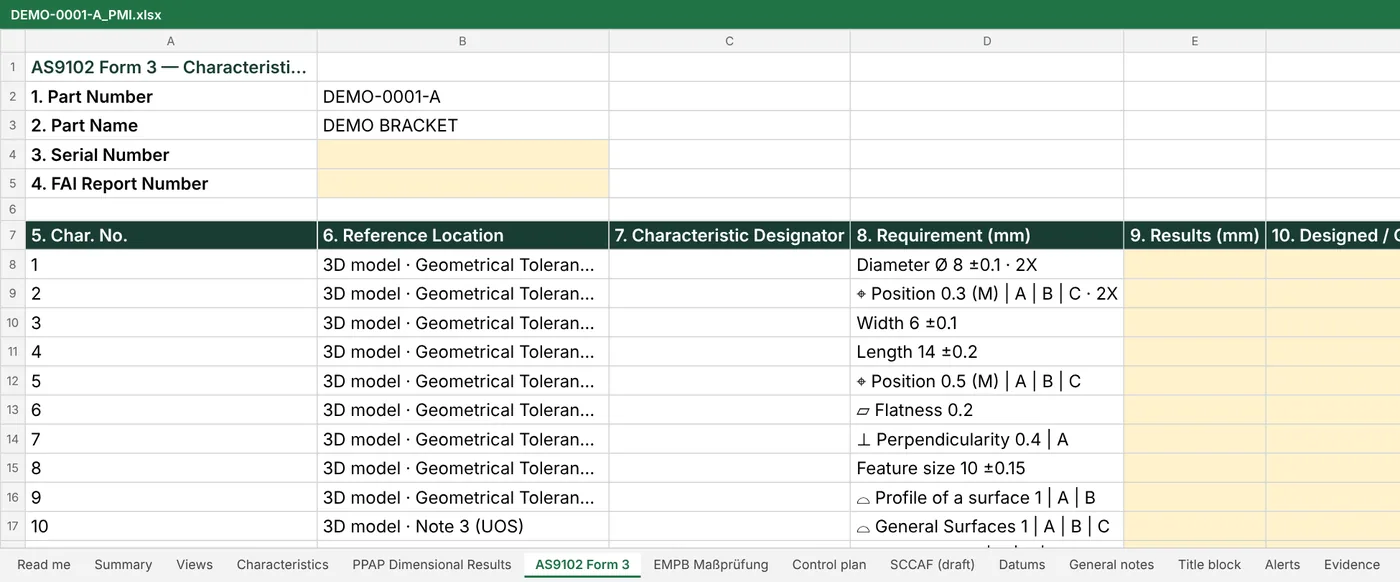
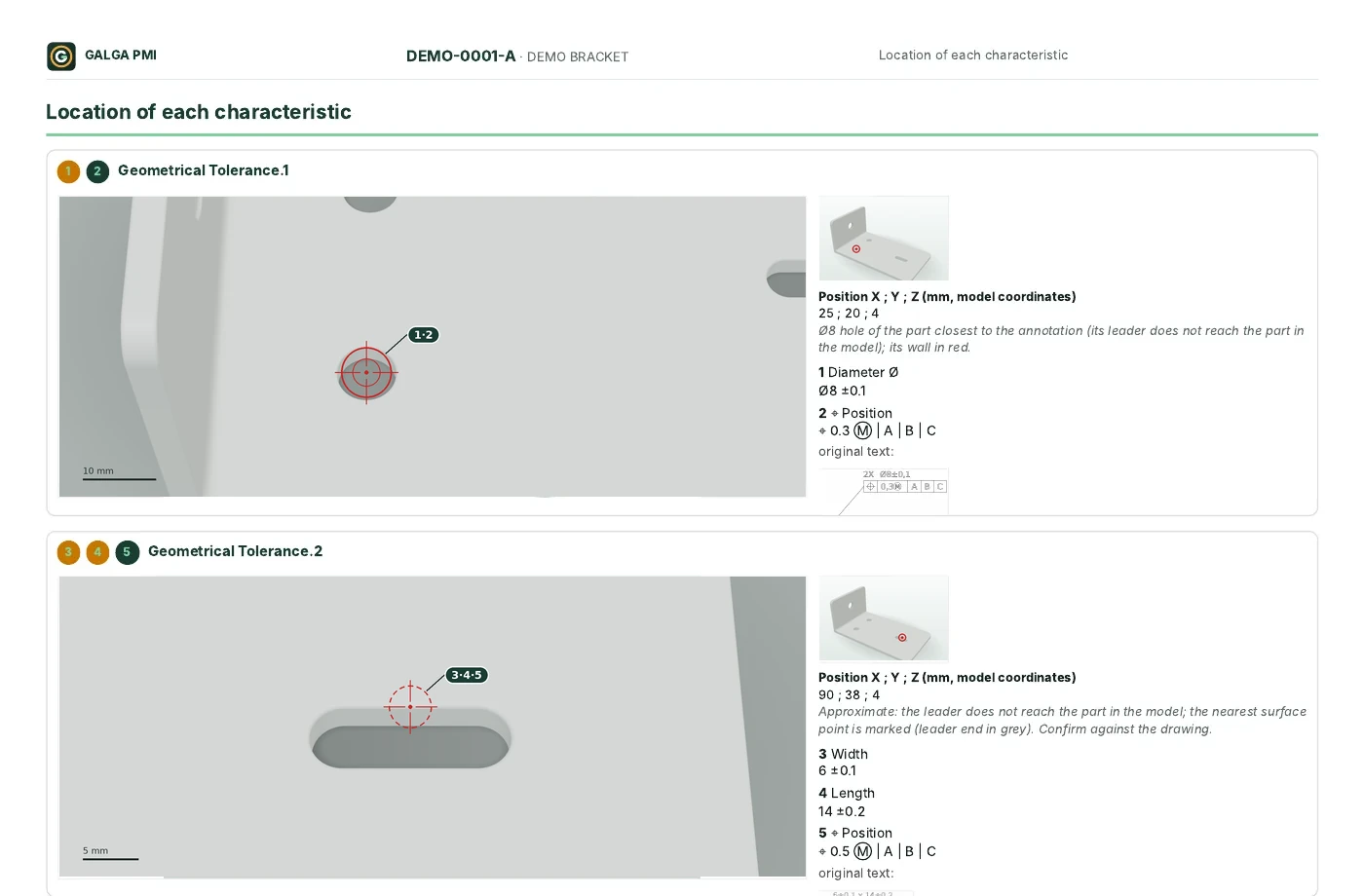
Real GALGA PMI screenshots of a synthetic demo part (DEMO-0001-A), with no customer data. Click an image to enlarge it.
How GALGA does it
- Open the 3D model with PMI or the PDF drawing.
- GALGA detects the characteristics, numbers them and flags what needs review.
- You review, confirm and export the characteristic form with the same numbering as the ballooned drawing.
- Import your measurement results or type them into the form.
Formats
Characteristic accountability form following the structure of AS9102 and EN 9102 Form 3, PPAP Excel for automotive and QIF 3.0 for your CMM.
Free template
Still doing it by hand? Download our free first article report template in Excel, with calculated limits and an automatic verdict. Go to the templates
Frequently asked questions
Does it replace the AS9102 standard?
No. GALGA prepares the report in the usual structure; the requirements are those of the standard and of your customer.
Does it work with PDF drawings?
Yes, with vector PDF drawings. Scanned drawings are read with more characteristics flagged for review.